Let the Schedule Suggest the Road Trip
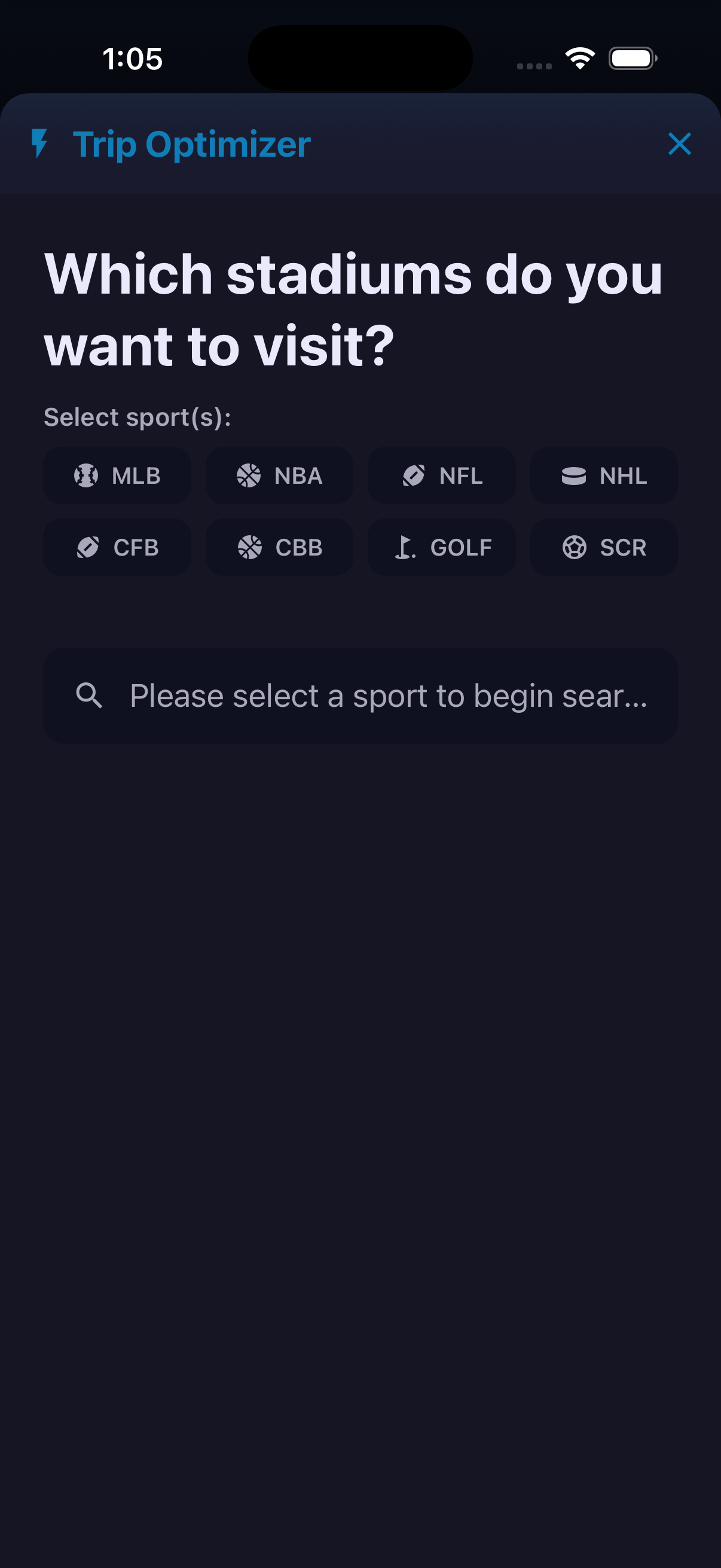
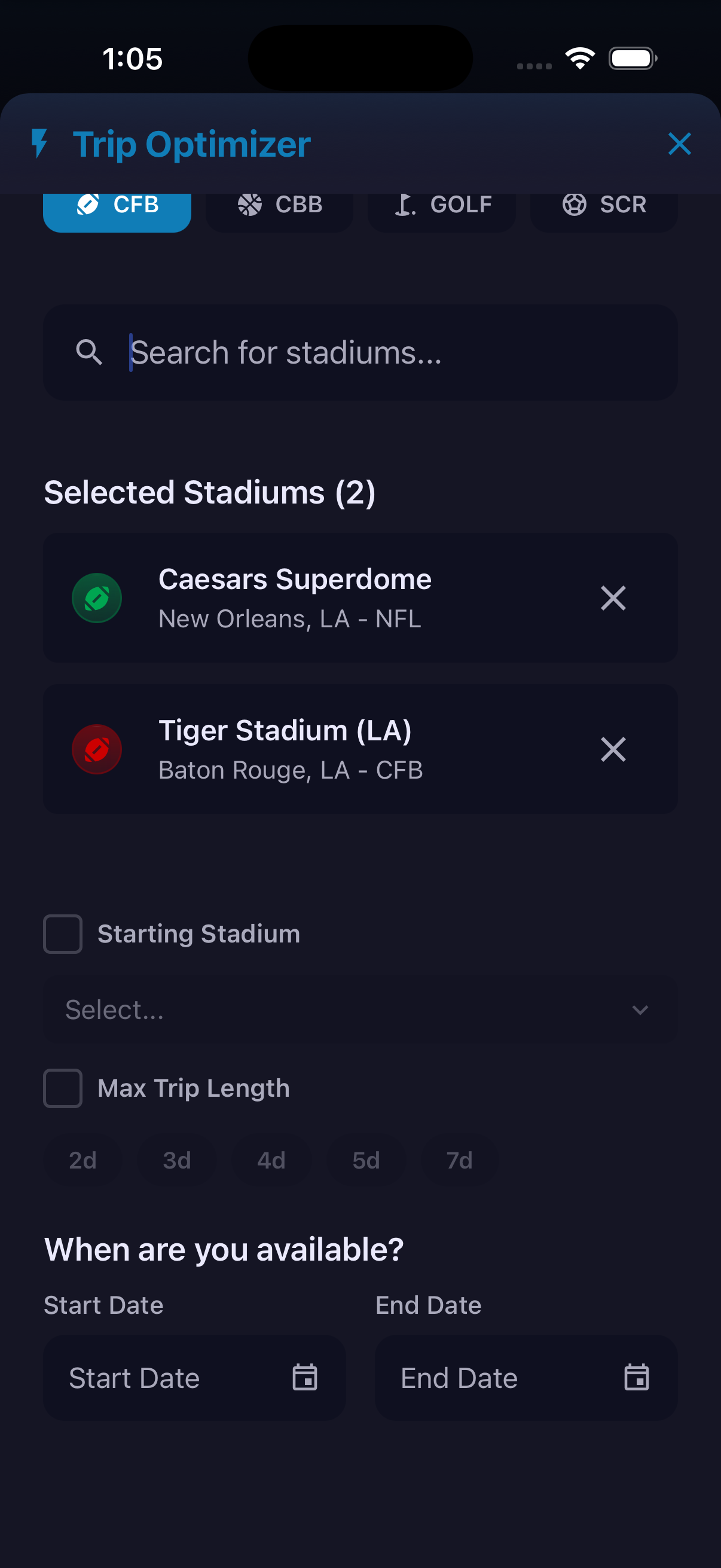
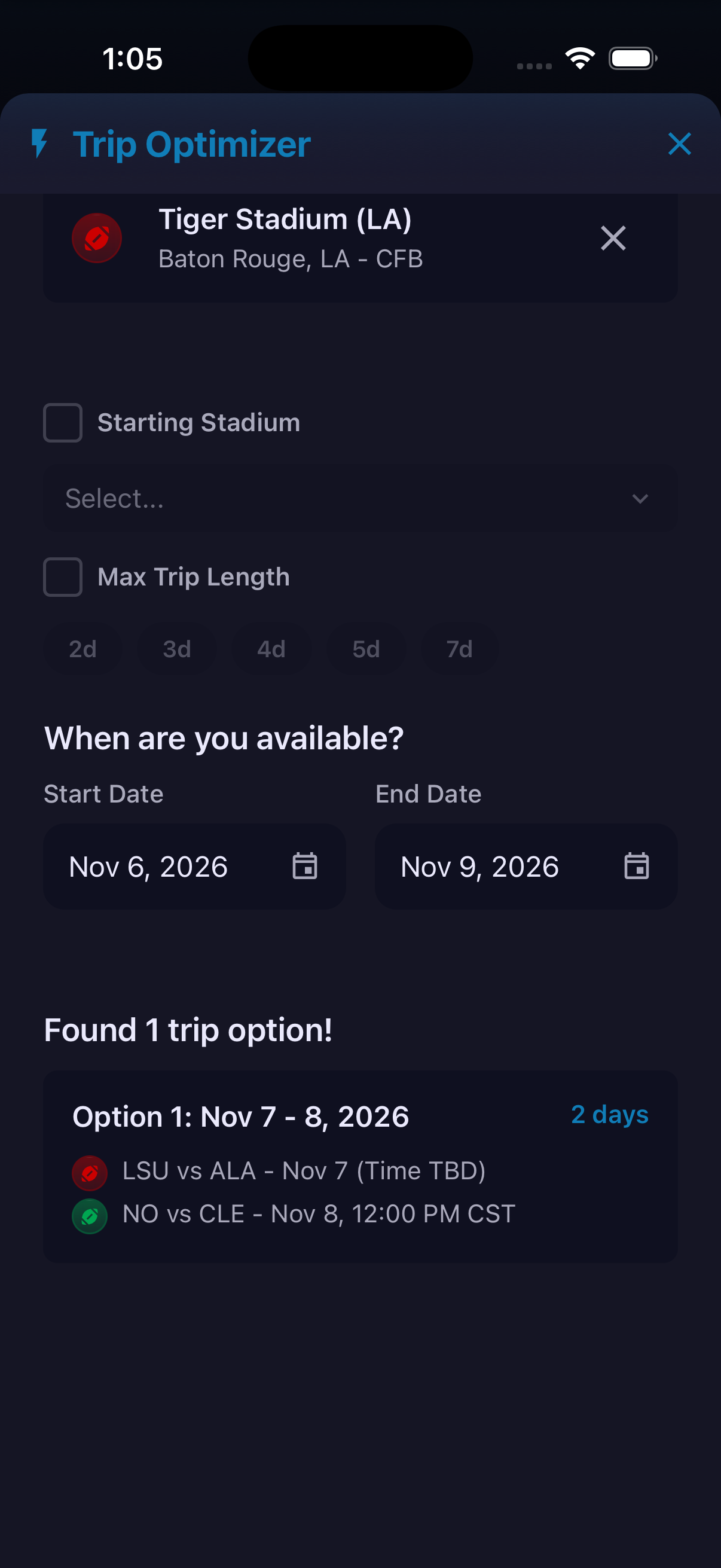
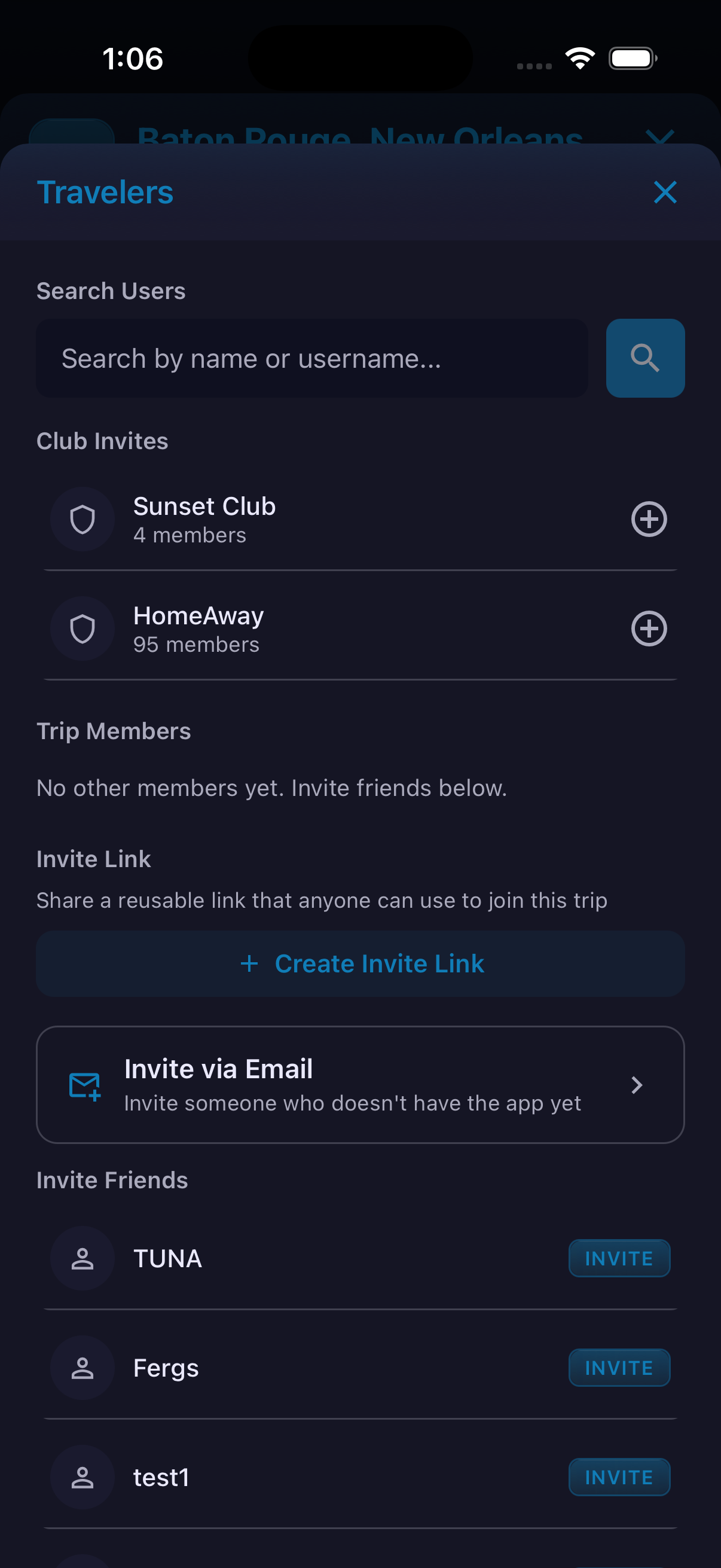
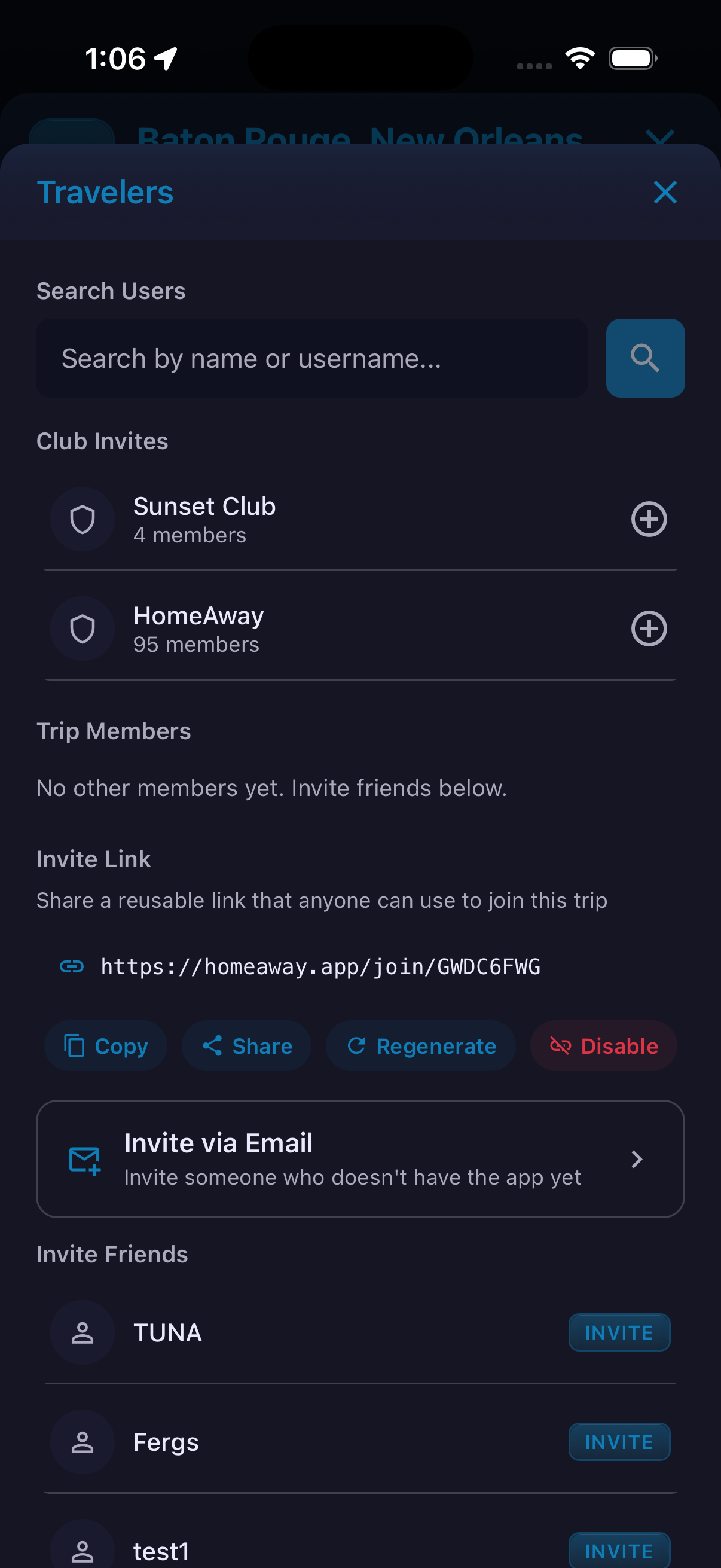
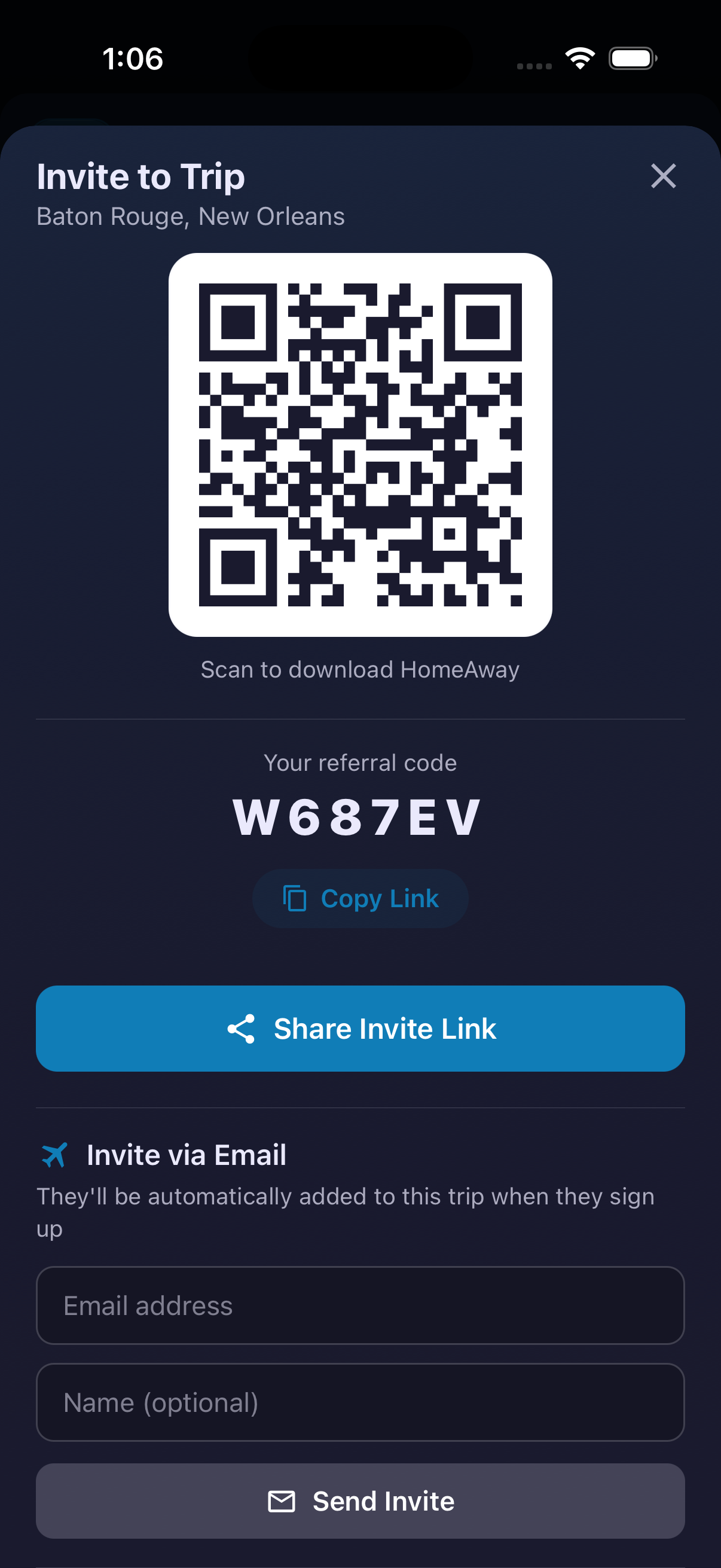
Trip Optimizer starts with the venues a fan wants to visit and looks for game combinations inside an available date window. Select one or more sports, add stadiums and optionally define a starting stadium or maximum trip length. The result is a set of schedule combinations that can turn a stadium wish list into a practical sports weekend. Once a trip exists, the Travelers panel supports app users, friends, clubs and email invitees. A reusable invitation link can be copied, shared, regenerated or disabled.
How to use it
- Open Trips, choose Create, then select Optimizer.
- Select the sports and stadiums you want to include.
- Optionally set a starting stadium or maximum trip length.
- Enter the dates when you are available and review the matching trip options.
- In the trip, open Travelers to search for users, invite friends or clubs, or send an email invitation.
- Use Create Invite Link when the group needs a reusable join link.
The demonstrated result is schedule matching; it should not be described as ticket purchasing, travel booking, lowest-cost routing or shortest-drive optimization.
Ready to try it?
Download HomeAway and start exploring.